


Welcome to Workers 5.1 beta! It's been over two years since the release of Workers 5.0, and we're very excited to bring you this long-awaited release. Workers 5.1 is full of new features and improvements, many of which have been requested by the Workers community, all designed to make working with the framework as streamlined as possible.
We hope you enjoy the new features in this version. While the official documentation for all the new tools is still a work in progress, here is a quick overview of what's new in this release.
Important to know: You can continue using your existing Workers 5.0 applications with Workers 5.1. No upgrade or changes to your code are required.
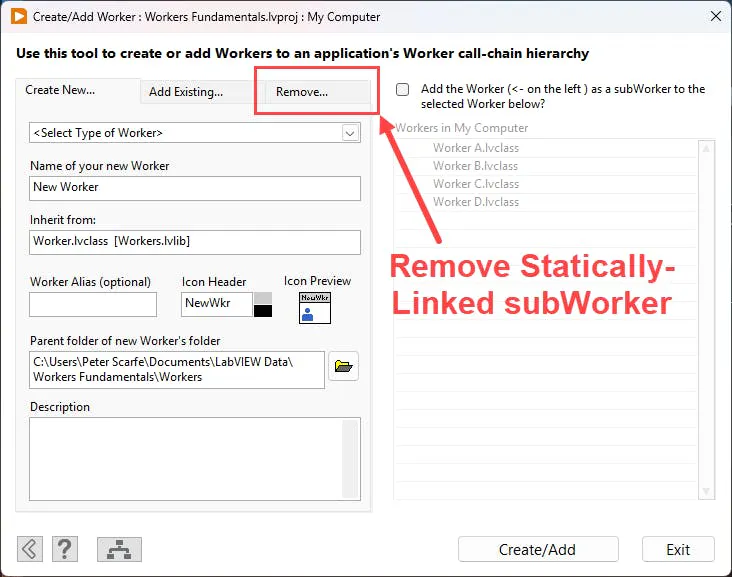
NEW: Remove Statically-Linked subWorker
Included now with the Create/Add Worker tool, you can remove a statically-linked subWorker that has previously been added to another Worker. This essentially reverses the changes made by the Create/Add Worker tool when a Worker is added as a statically-linked subWorker to a Caller.
The tool will not delete the subWorker itself. It removes the subWorker from the Caller, including the wiring on the Caller's block diagram and the framework integration VIs that were created when the subWorker was added.
Any application-specific dependencies on the subWorker, such as calls to its Public Request VIs, still need to be removed manually by the developer.
NEW: Local Requests moved to the API Builder tool
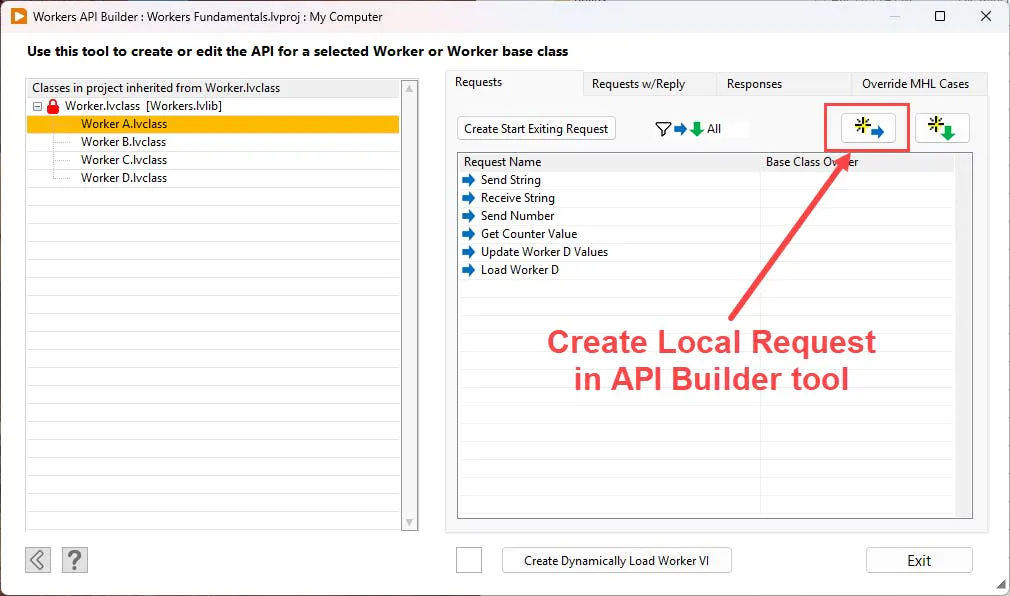
The Public API Builder tool from Workers 5.0 has been renamed to the API Builder tool, and now also allows you to create and manage a Worker's Local Requests.
There is also a new QuickDrop shortcut for opening the API Builder tool: Ctrl+7.
Note that the Create Worker MHL Case tool (QuickDrop shortcut Ctrl+9) is still used to create MHL cases in a Worker to receive Public Responses from a subWorker.
NEW: Delete Requests and Responses
Another new feature in the API Builder tool is the ability to delete Local and Public API Requests and Responses. The right-click menu for each API now includes a Delete Request/Response option.
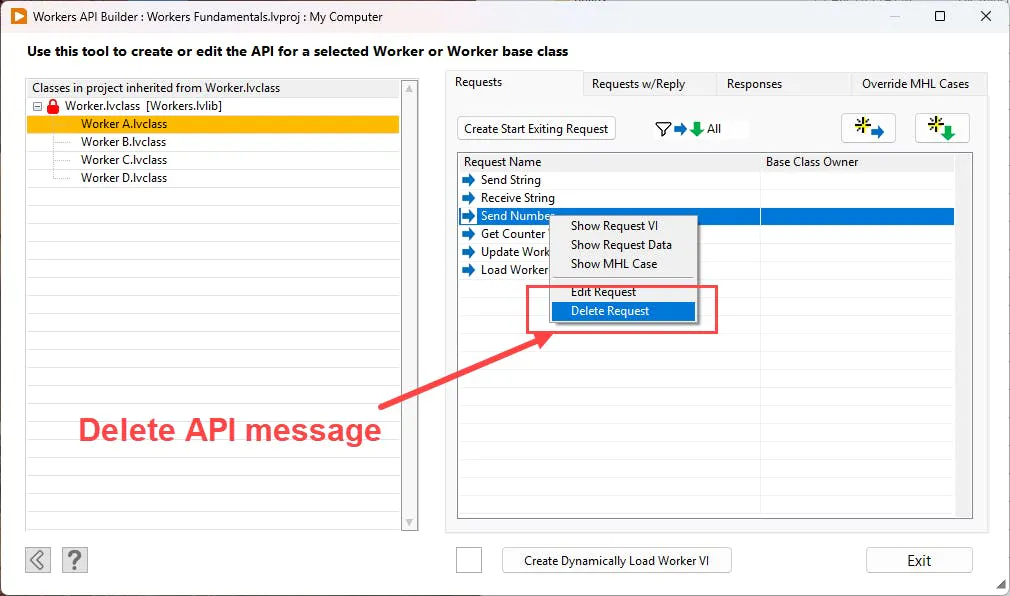
There are two important things to know:
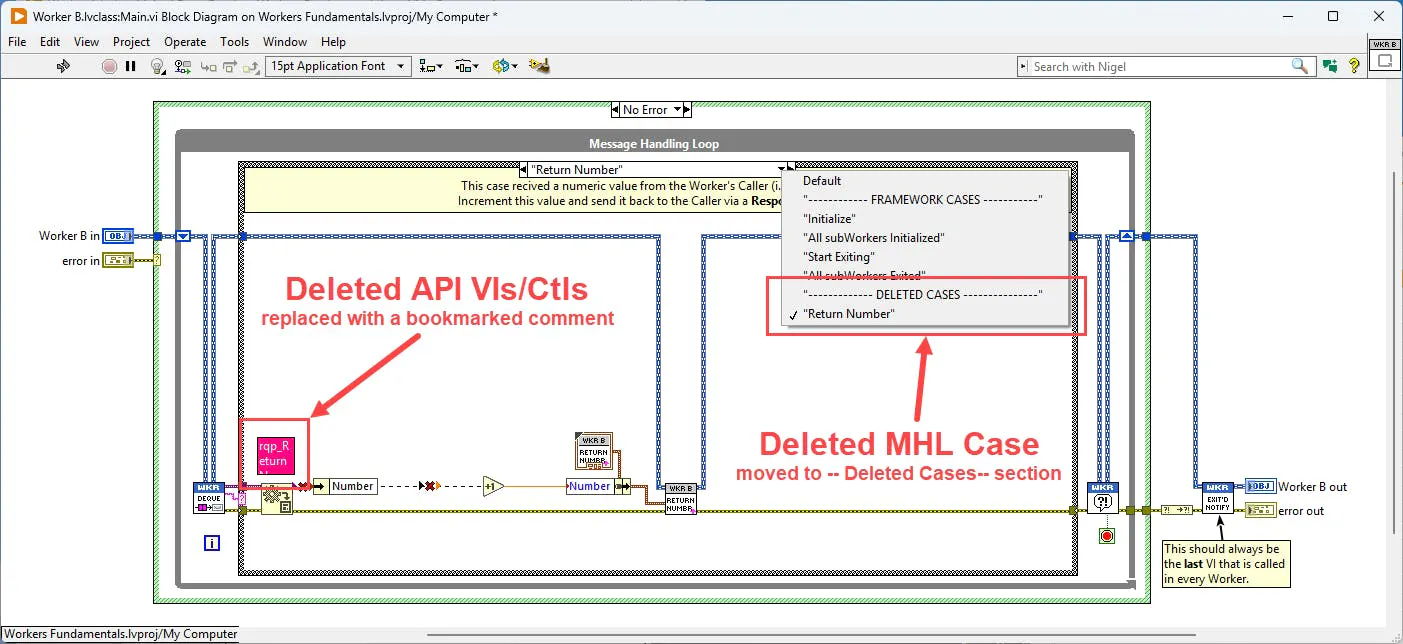
When an API is deleted, its associated API VIs and typedef controls are also deleted from the selected Worker. Any instances of the deleted VIs or controls used elsewhere in the project, such as on another Worker's block diagram, are also removed. A bookmarked comment containing the name of the deleted VI or control is placed at each location so you can easily identify what was removed.
The MHL case associated with a deleted Request is not deleted. Instead, it is moved to a new section of the Worker's MHL case structure called --- DELETED CASES ---. This preserves any application logic that you had already implemented in the MHL case.
NEW: Add EHL to Worker tool
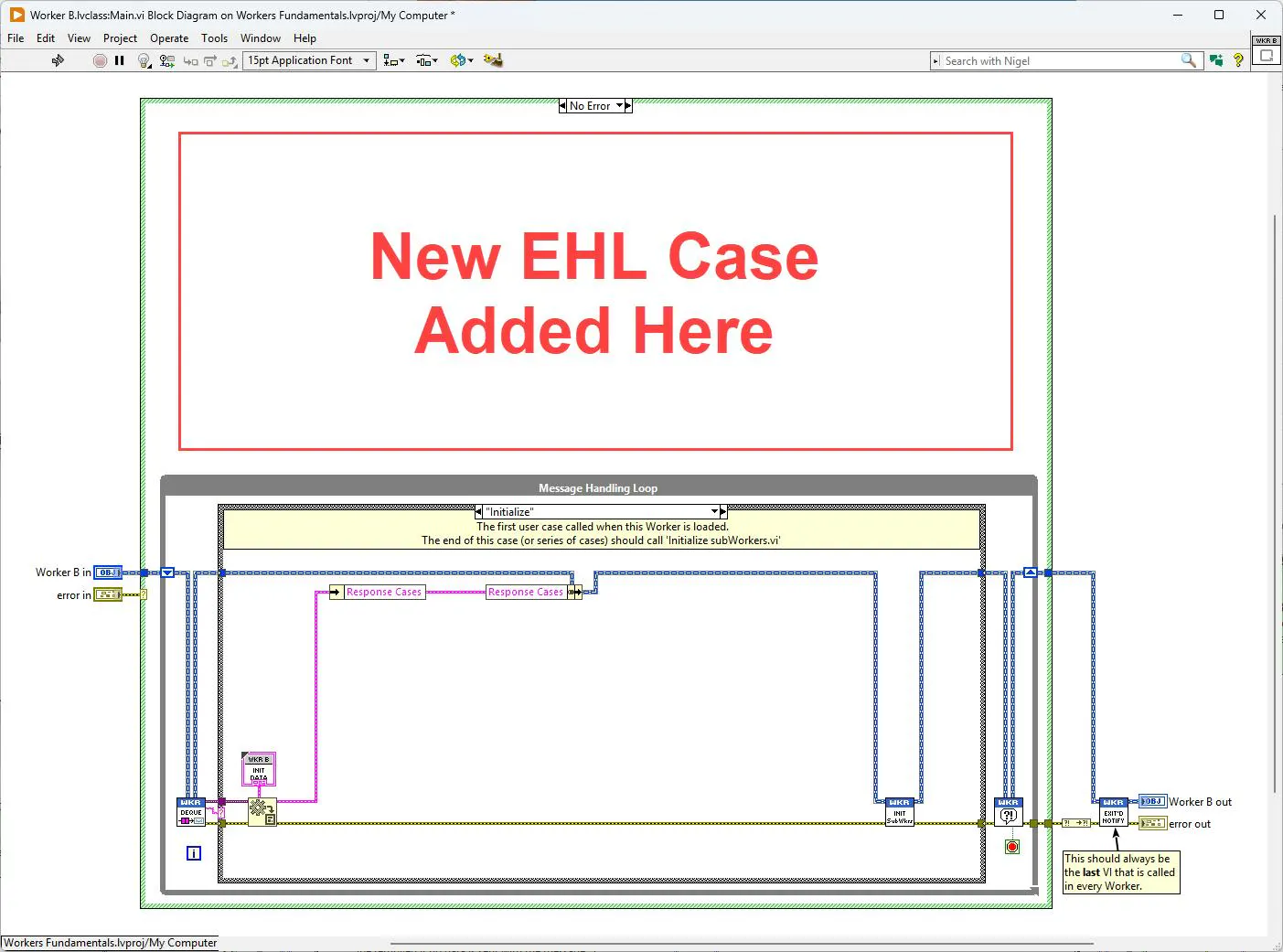
If you create a Worker without an Event Handling Loop (EHL) and later decide that you need one, you can now add it with the click of a button.
The new Add EHL to Worker tool can be found in the Other Tools dropdown menu of the Workers Tools Menu. As the name suggests, the tool adds and wires the default Workers EHL above the Worker's existing MHL.
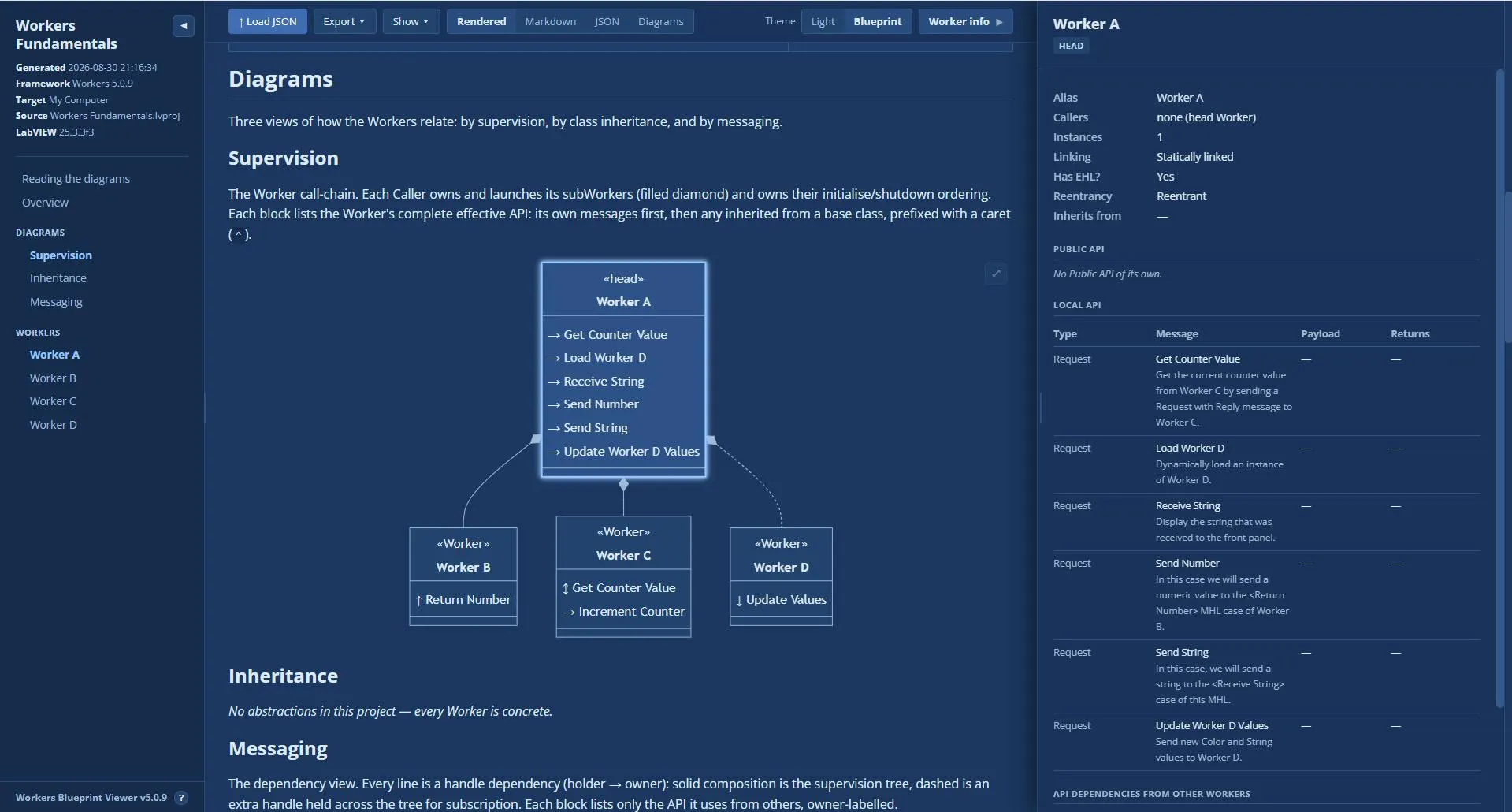
NEW: Workers Blueprint – Architectural documentation for your Workers applications
You can find the new Workers Blueprint functionality in the Worker Call-Chain Viewer tool. After generating the Worker call-chain diagram for an application, you can export its architecture to the new .blueprint.json format and open it in the Workers Blueprint Viewer.
Workers Blueprint documents the application's supervision hierarchy, inheritance relationships, and messaging architecture, helping make the overall structure of a Workers application much easier to understand.
The interactive Blueprint Viewer runs locally in your web browser and can render the architecture as a Markdown (.md) document with Mermaid diagrams.
A CLI for generating Workers Blueprints will be provided with the official Workers 5.1 release.
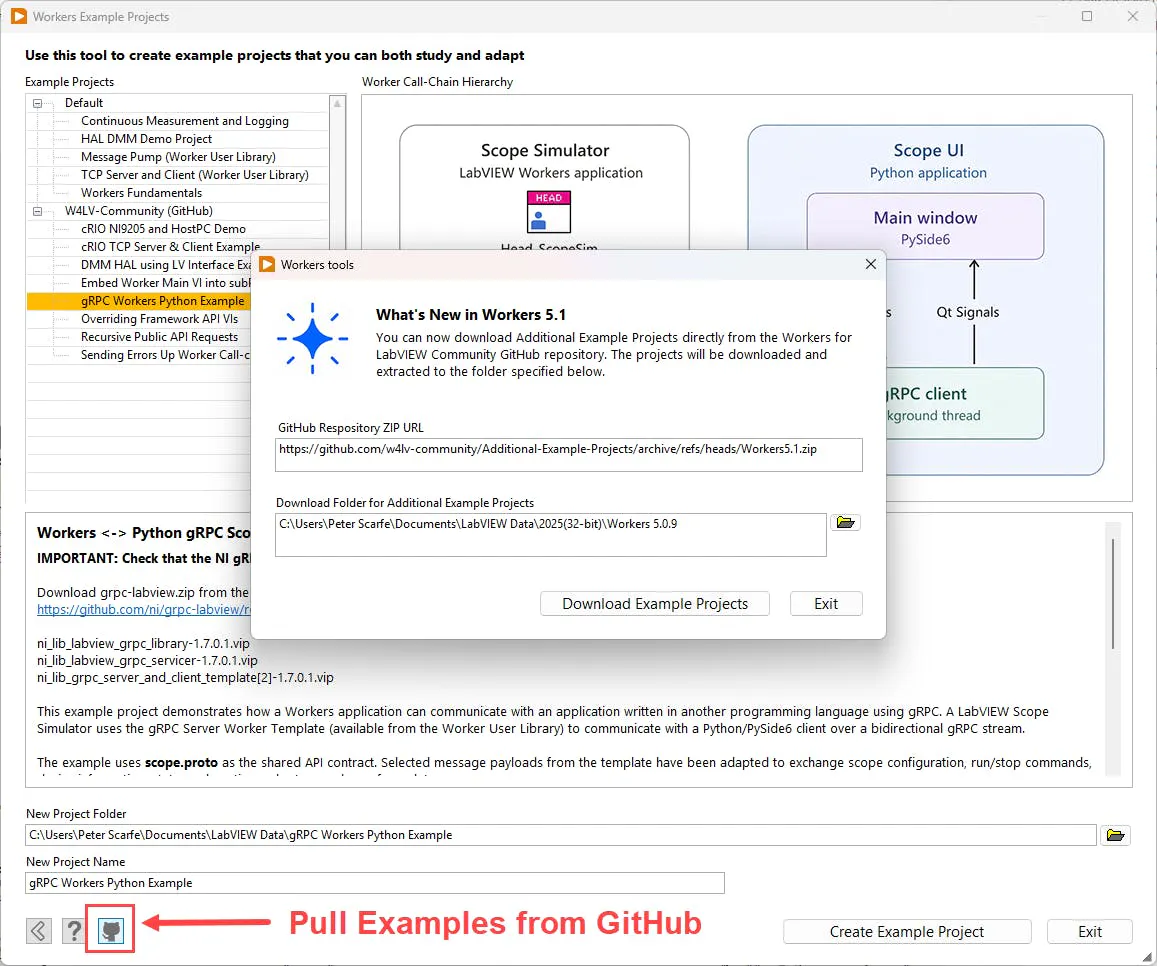
NEW: Pull Workers Examples and User Library Items from GitHub
Additional example projects are available from the Workers Community GitHub repository and can now be pulled and installed directly from the redesigned Workers Example Projects tool.
The same GitHub integration has also been added to the Worker User Library tool, allowing additional Workers, templates, and other library items to be downloaded directly through the Workers development tools.
This means new examples and library items can be made available to the community without waiting for a new Workers release.
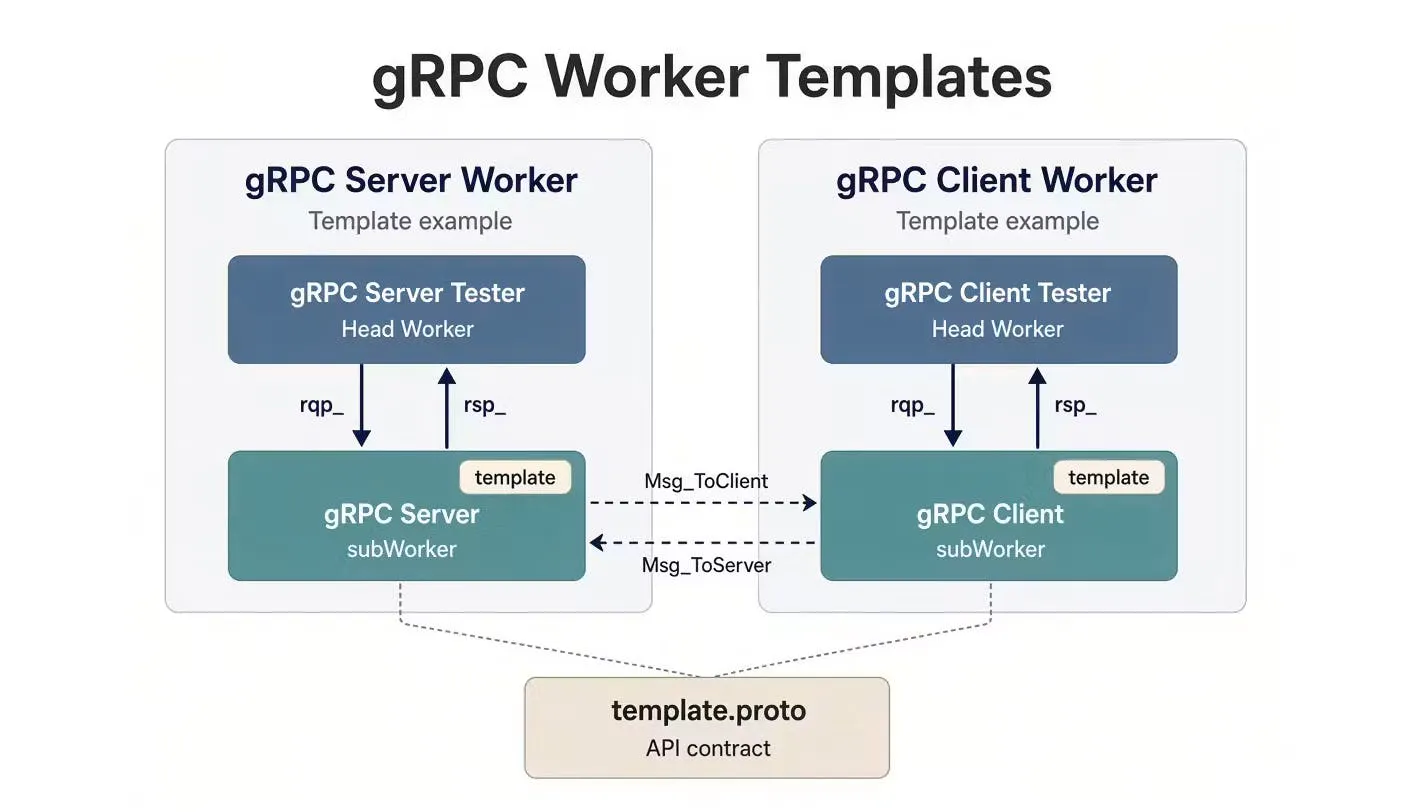
NEW: gRPC Worker Templates
Available from the Workers Community GitHub repository are new gRPC Server and gRPC Client Worker templates. These templates provide Worker Public API Requests and Responses that map directly to messages sent over a bidirectional gRPC stream.
The templates provide nine message channels in each direction, which can be adapted to carry your own custom payloads.
You can learn more about the gRPC Worker templates here: Using the gRPC Worker Templates.
NEW: gRPC Workers ↔ Python Example Project
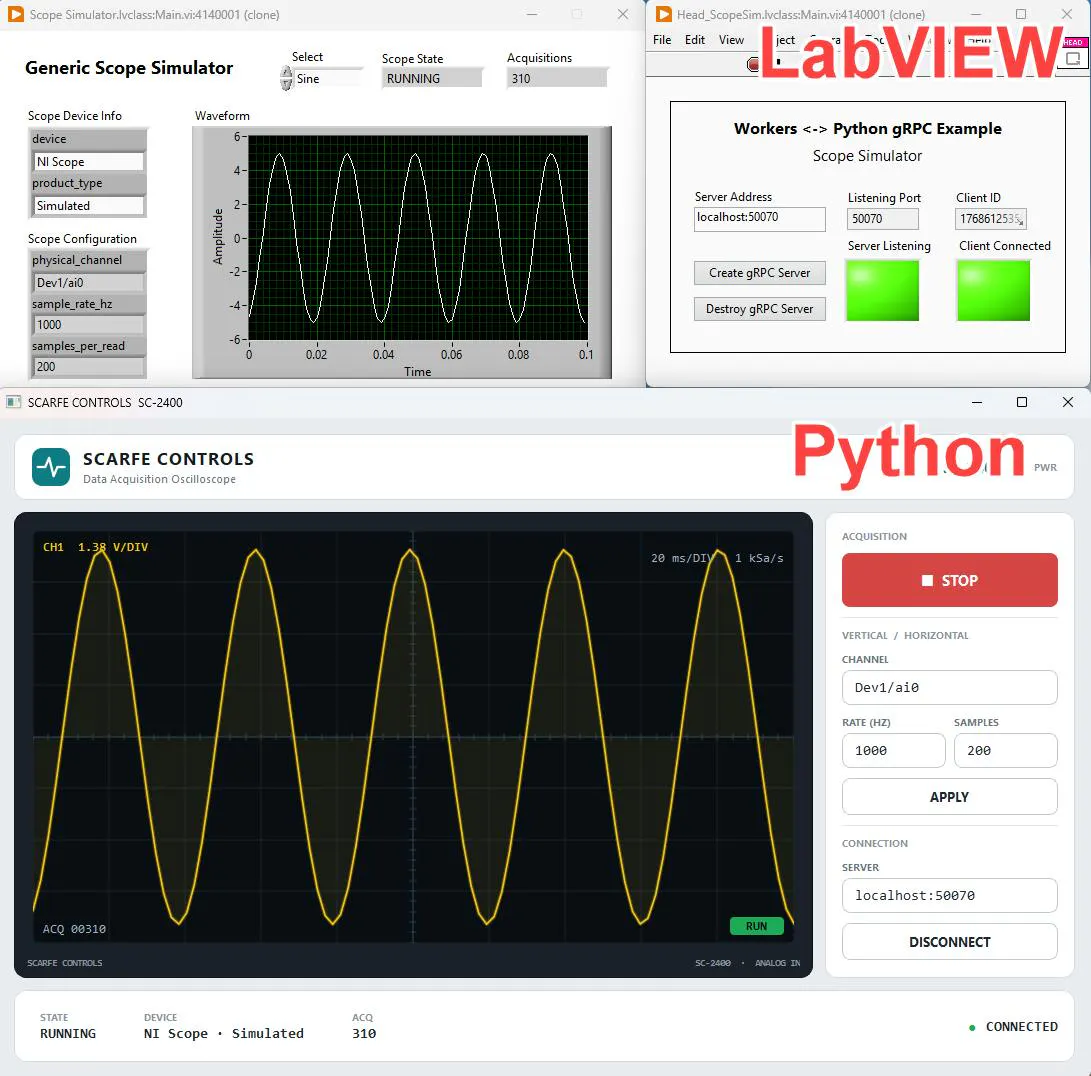
To demonstrate the use of the new gRPC Worker templates, we've created an example showing how a Workers application that simulates an oscilloscope can communicate with a Python application over gRPC.
The example starts from the gRPC Server Worker template and adapts the message payloads in the gRPC .proto contract for the simulated scope application. The LabVIEW Workers application then communicates bidirectionally with a scope UI created entirely in Python.
The example demonstrates how the gRPC Worker templates provide a clean separation of responsibilities between LabVIEW and another language, while communication within the Workers application is still implemented using standard Worker Public APIs.
Other Improvements
Workers 5.1 also includes numerous bug fixes, usability improvements, and performance improvements throughout the development tools. You'll notice many smaller improvements here and there, and the Workers Tools Menu now loads significantly faster.
This is a beta release, so if you find any bugs or unexpected behavior, please report them here in the Workers Community. Your feedback during the beta helps us refine the release and lets us know whether we're moving in the right direction.